Report an absence: 01904 806464

School Dinners

School Dinners

School meals are available to every pupil in our school and the meals are provided by Aspens Services. 

Meals must be preordered at home using the Swift Kitchen system as there is no facility to place orders at school.   More information on how to access the ordering system can be found below.

Our menus change weekly on a 3 week rotational basis and can be viewed via the links below


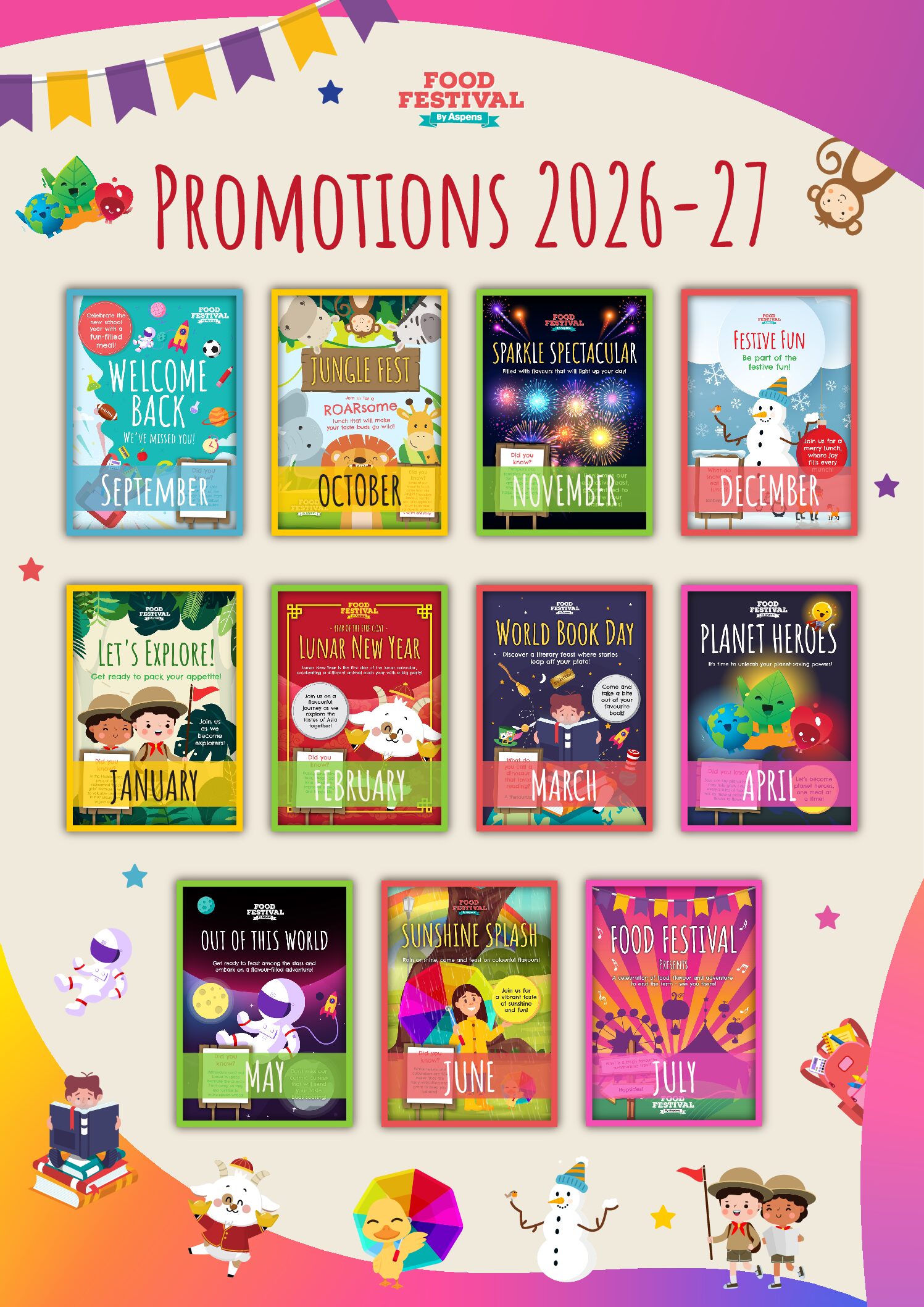
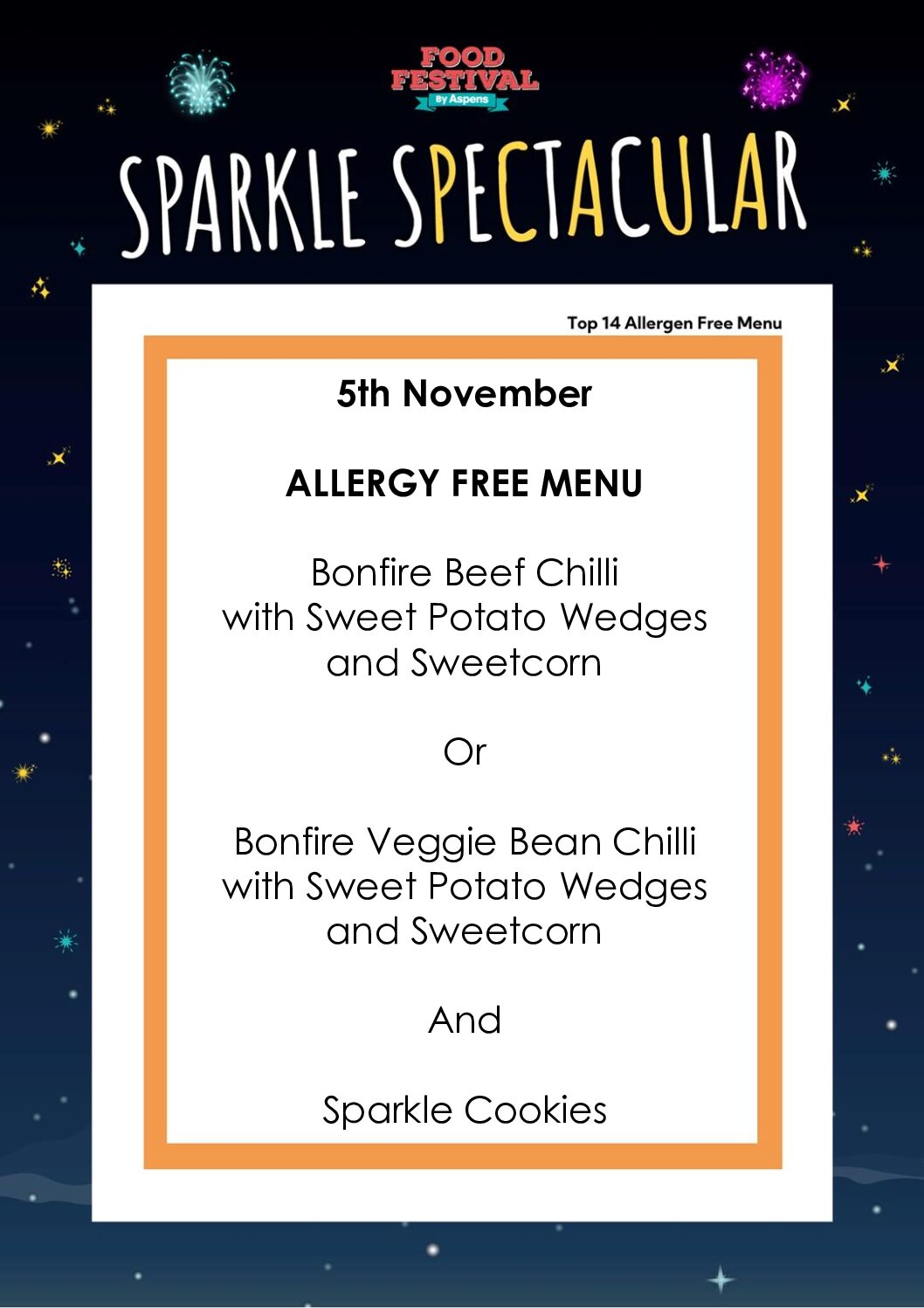
Promotional Menus – a special menu every month

Free school meals

If you receive certain benefits, your child could also qualify for free school meals during all school years. To qualify you must be receiving:

  • Universal Credit, provided you have an annual net earned income of no more than £7,400, as assessed by earnings from up to three of your most recent assessment periods (£616.67 per month)
  • Income Support
  • Income-based Jobseeker’s Allowance
  • Income-related Employment and Support Allowance support under part six of the Immigration and Asylum Act 1999 the guarantee element of Pension Credit
  • Child Tax Credit, provided you are also not entitled to Working Tax Credit and have an annual household gross income that does not exceed £16,190 (as assessed by HMRC)
  • Working Tax Credit run-on, paid for four weeks after you stop qualifying for Working Tax Credit

North Yorkshire Council have launched an online portal for free school meal applications that will give you an instant decision on whether your application is successful. 


SwiftKitchen – Pre-Ordering  School Lunches Information and Guidance

School meals must be ordered via an app called SwiftKitchen – parents must use this app to pre-order children’s school lunches.  This system is designed to be user-friendly, efficient, and help us ensure accurate meal preparation.

Useful Information: Please take a few minutes to watch the video guide which explains the system:


  1. To create an account you will need to download the SwiftKitchen app, please visit either the website https://app.swiftkitchen.co.uk or you can find the SwiftKitchen app on your mobile store.
  2. To set up your child’s account you will need your child’s individual SwiftKitchen Key. This key will be provided to you when you have completed the Registration Pack on enrolment, or can be requested from the School Office at any time.
  3. The dietary requirements that the school holds for your child will be recorded on your child’s record – it is crucial that you check that these are correct. Please contact the school if you need to make changes.
  4. Lunches are ordered exclusively through SwiftKitchen in line with the menus which are published on here, and uploaded to SwiftKitchen. For the Allergen-Free Menu you will need to reference to menu on here for the specific options on each day. 

For further support please email SwiftKitchen@support-services.com or call 0330 236 6859

Skip to content